Does Your CPU Actually Matter for Gaming? We Ran 20 Processors Through the Wringer to Find Out

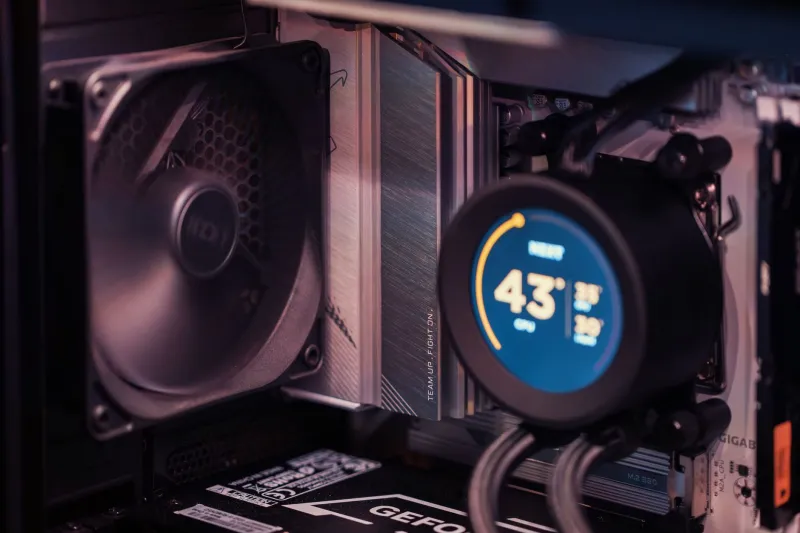
Photo by Photo by Anne Nygård on Unsplash on Unsplash
There's a conversation that plays out in gaming forums every single day. Someone posts a screenshot of their frame rate struggling, and within minutes, a chorus of voices chimes in: "It's your CPU. Upgrade immediately." Sometimes that advice is spot-on. But more often than not, it's just noise — confident-sounding, well-intentioned noise that could cost you hundreds of dollars you didn't need to spend.
We got tired of guessing. So we pulled together 20 processors spanning everything from a $90 budget chip to a $700 flagship, ran them through a gauntlet of modern titles at 1080p, 1440p, and 4K, and tracked exactly where the CPU stopped mattering — and where it genuinely did.
Spoiler: the truth is messier, and more useful, than the blanket advice you've been reading online.
What a CPU Bottleneck Actually Means (And What It Doesn't)
Before we get into the numbers, let's clear something up. A CPU bottleneck doesn't mean your processor is broken or even particularly slow. It means your GPU is waiting on the CPU to feed it data — frames per second drop because the processor can't keep up with what the graphics card is ready to render.
The thing is, this relationship shifts dramatically based on resolution. At 1080p, your GPU finishes rendering frames quickly, so it spends more time sitting idle, waiting on the CPU. Crank the resolution to 4K, and suddenly the GPU is doing so much more work per frame that the CPU rarely becomes the limiting factor at all. This is why the "just upgrade your CPU" advice so often misfires — it ignores what resolution you're actually playing at.
The Budget Tier: Where Bottlenecks Bite Hardest
We started at the low end, testing chips like the Ryzen 5 5500 and Intel Core i3-12100F paired with a mid-range GPU. At 1080p in CPU-sensitive games like CS2, Valorant, and Cities: Skylines II, the performance gap between a budget chip and a mid-tier processor was real — sometimes 20 to 30 percent in average frame rates, and more importantly, the 1% lows were noticeably worse on the cheaper options. Competitive players living at 1080p and chasing 240Hz will genuinely feel that.
But here's where it gets interesting: the moment we switched to 1440p, those gaps started shrinking fast. By the time we hit 4K, the budget chips and the mid-range chips were delivering nearly identical results in most titles. The GPU had become so busy that the CPU was barely relevant.
The Mid-Range Sweet Spot Most Gamers Should Actually Buy
Processors like the Ryzen 5 7600, Core i5-13600K, and their closest competitors turned out to be the real story of this whole test. In game after game, they matched or came within 5 percent of performance delivered by chips costing twice as much. That gap only widened in a handful of specific scenarios: extremely high refresh rate 1080p gaming, heavily modded open-world titles, and games with notoriously poor CPU optimization (looking at you, Hogwarts Legacy on launch day).
For the overwhelming majority of US gamers playing at 1440p on a 144Hz or 165Hz monitor — which is the most common setup we see in reader surveys — a mid-range chip from the last two generations is genuinely enough. Spending $400 more to jump to a top-tier chip isn't going to move the needle in your actual gaming sessions.
High-End Chips: Who They're Actually For
So when does a Ryzen 9 7950X or Core i9-14900K actually earn its price tag in a gaming context? Honestly, less often than the marketing suggests.
We found meaningful advantages in three specific situations. First, if you're streaming or recording while gaming, the extra cores and threads genuinely help keep your stream smooth without tanking in-game performance. Second, if you're running a game server locally while also playing — something a surprising number of multiplayer-focused gamers do — the headroom matters. Third, if your workflow outside gaming includes video editing, 3D rendering, or other heavily threaded work, the premium chip earns its keep there, just not in gaming itself.
Pure gaming performance at reasonable resolutions? The flagship chips delivered roughly 5 to 8 percent better average frame rates than mid-tier options in our testing. That's real, but it's not "spend $400 more" real.
The Resolution Rule of Thumb That Actually Holds Up
After running all 20 processors through our full test suite, one pattern held remarkably consistent across almost every title we tested:
- 1080p at high refresh rates: CPU matters a lot. Don't cheap out here if you're chasing 240Hz.
- 1440p at 144Hz–165Hz: A mid-range chip is all you need. Anything beyond that is diminishing returns.
- 4K at any refresh rate: Your GPU is doing the heavy lifting. The CPU is almost never your problem.
This isn't a new concept in PC gaming, but we wanted hard data behind it rather than just conventional wisdom. The data backs it up pretty convincingly.
Before You Upgrade Your CPU, Ask These Questions
If you're genuinely seeing performance issues and wondering whether your processor is the culprit, run through this checklist before you open your wallet:
- Check your GPU usage. If it's sitting at 95–99% while gaming, your GPU is the bottleneck, not the CPU. A new processor won't help.
- Check your resolution. Playing at 1440p or higher? CPU upgrades deliver the least value here.
- Check your game type. Competitive shooters at 1080p/240Hz? That's one of the few cases where a CPU upgrade genuinely pays off.
- Check your current chip's generation. If you're on something from 2018 or earlier, an upgrade is probably worthwhile. If you bought within the last three years, you're almost certainly fine.
The Bottom Line
CPU bottlenecks are real, but they're also one of the most over-diagnosed problems in PC gaming. After testing 20 processors across hundreds of benchmark runs, the honest takeaway is this: most gamers are playing at resolutions where the CPU matters far less than the forums suggest, and mid-range processors from the past few generations are more than capable of keeping up with even powerful GPUs in real-world gaming conditions.
Save the flagship chip money for a better GPU, a faster monitor, or just keep it in your pocket. Your frame rates will thank you — or more accurately, they probably won't notice either way.