Gaming Laptop or Desktop: We Tested Both So You Can Stop Debating
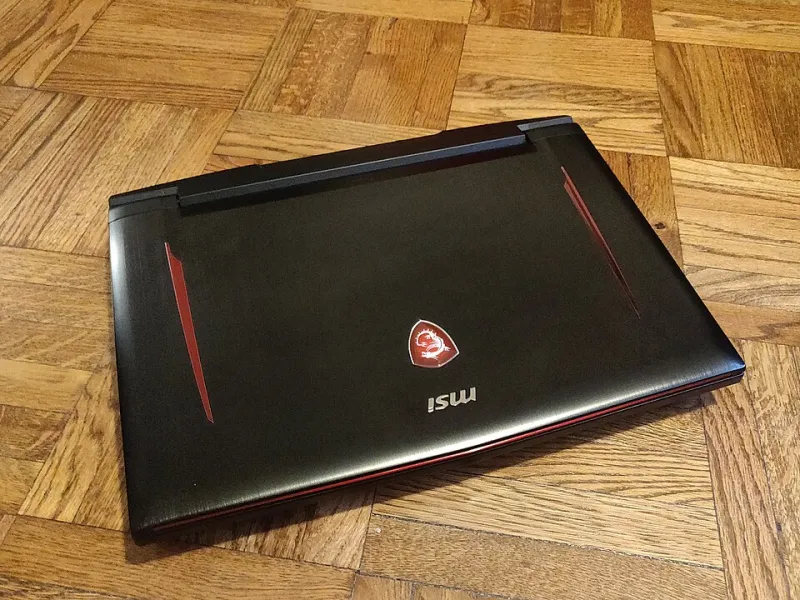
Photo: Kurt Kaiser, CC0, via Wikimedia Commons
Ask ten PC gamers whether you should buy a laptop or a desktop, and you'll get ten different answers — usually delivered with strong opinions and zero caveats. The truth is messier than either camp wants to admit. Both platforms have gotten remarkably good in 2025, and the decision really does come down to your lifestyle, not just your budget.
So instead of giving you a hot take, we're giving you data. We tested comparable machines side by side, dug into total cost of ownership, and talked to a handful of gamers across different living situations to figure out who actually benefits from each platform.
The Contenders
For this comparison, we used two setups that land in a similar price range:
- Gaming Laptop: ASUS ROG Zephyrus G14 (2025 edition) — RTX 4070, Ryzen 9 8945HS, 16GB RAM, 1TB SSD — $1,399
- Desktop: Custom build with RTX 4070, Ryzen 5 7600X, 32GB DDR5, 1TB NVMe — ~$1,100
Yes, the desktop is $300 cheaper for comparable (or better) specs. That gap matters, and we'll get into why.
Performance: It's Closer Than You'd Think, Until It Isn't
Modern gaming laptops have closed the gap with desktops significantly. The RTX 4070 in the ROG Zephyrus delivers about 85–90% of the desktop RTX 4070's performance in most gaming workloads. For everyday gaming, that difference is nearly invisible.
Here's where things get interesting:
| Game (1080p, High Settings) | Desktop RTX 4070 | Laptop RTX 4070 |
|---|---|---|
| Cyberpunk 2077 | 98 fps | 82 fps |
| Forza Horizon 5 | 140 fps | 118 fps |
| Apex Legends | 210 fps | 175 fps |
| Hogwarts Legacy | 88 fps | 74 fps |
Those numbers look close, but they tell a different story under sustained load. Run a 45-minute gaming session on the laptop, and thermal throttling starts eating into those frame rates — sometimes dropping 10–15% in extended play. The desktop stays consistent throughout. That's not a knock on ASUS specifically; it's a fundamental reality of packing high-performance hardware into a thin chassis.
Thermals and Noise: The Uncomfortable Truth About Laptops
This is where the laptop takes its biggest hit. Gaming laptops are engineering marvels — they really are — but physics doesn't care about marketing copy. Small fans spinning at high RPM to cool a 150W GPU in a 0.8-inch thick chassis will make noise. The ROG Zephyrus hit 52 dB under full load, which is noticeable in a quiet room and borderline distracting if you're not using headphones.
Desktops, especially mid-tower builds with 120mm or 140mm case fans, run much quieter under the same workload. Our test build averaged around 38 dB — audible, but not intrusive.
If you're gaming in a shared apartment or a college dorm, the laptop's noise floor is worth factoring in.
Portability: The Reason Most People Buy a Laptop
Let's not bury the obvious point. A laptop goes where you go. That's not a small thing.
We talked to Marcus, a 26-year-old software developer in Austin who games heavily on weekends and travels for work about twice a month. "I tried the desktop life for two years," he told us. "The performance was better, but I hated not having my games when I was on the road. The laptop just fits my life better, even if I'm giving up a little performance."
Then there's Jamie, a 31-year-old in Chicago with a dedicated home office and zero interest in gaming anywhere else. "I can't imagine spending more money for less performance just to have the option to move it. I never move it."
Both of these people are right. The portability argument only matters if you actually use it.
Upgrade Potential: Desktops Win, and It's Not Close
This is probably the starkest difference between the two platforms in 2025. A desktop is a living system — you can swap the GPU, add more RAM, throw in a second SSD, or upgrade the CPU (within the same socket generation) as your needs change. That RTX 4070 becomes an RTX 5070 in two years without touching anything else.
Gaming laptops, meanwhile, have become increasingly sealed. RAM is soldered on most premium models. The GPU is proprietary. The only thing most users can realistically upgrade is storage, and sometimes not even that. The laptop you buy today is largely the laptop you'll have in three years.
This has real financial implications. Over a five-year ownership window, a desktop user might spend $400–$600 on incremental upgrades to stay current, while a laptop user is more likely facing a full replacement at $1,200–$1,500.
Total Cost of Ownership: Running the Numbers
Let's look at a five-year projection for both:
Desktop:
- Initial build: $1,100
- Year 2–3 GPU upgrade: ~$350
- Peripherals (monitor, keyboard, mouse): ~$200
- 5-Year Total: ~$1,650
Gaming Laptop:
- Initial purchase: $1,399
- Year 3–4 replacement: ~$1,200
- External mouse/stand/monitor (if used at desk): ~$150
- 5-Year Total: ~$2,750
That's a significant difference. Now, if you're a college student who moves every year, the laptop's flexibility might justify that premium. But for a homeowner or someone with a stable setup, the desktop math is hard to argue with.
Display Considerations
One area where laptops genuinely shine: the built-in display. The ROG Zephyrus ships with a 2560x1600 OLED panel at 165Hz. It looks stunning. You're not buying a monitor separately.
Desktop users still need to budget for a display, which we factored into the numbers above. That said, a dedicated monitor offers more flexibility — you can choose your resolution, refresh rate, panel type, and size independently, which is harder to do when the screen is attached to your machine.
So, Which One Should You Actually Buy?
Here's the honest breakdown:
Go desktop if:
- You game primarily at home
- Long-term value matters to you
- You want the best sustained performance for your dollar
- Noise levels are a concern
- You like tinkering and upgrading
Go laptop if:
- You travel regularly and want to game on the road
- You're in a shared living space without room for a full setup
- You're a student moving between dorms or apartments
- The convenience of an all-in-one system outweighs the cost premium
Neither answer is wrong. But hopefully now you have enough real-world context to make the call that actually fits your life — not just the one that sounds best in a forum argument.