We Tested 15 Gaming SSDs So You Don't Have to Overpay: Here's the Honest Truth About Drive Speed
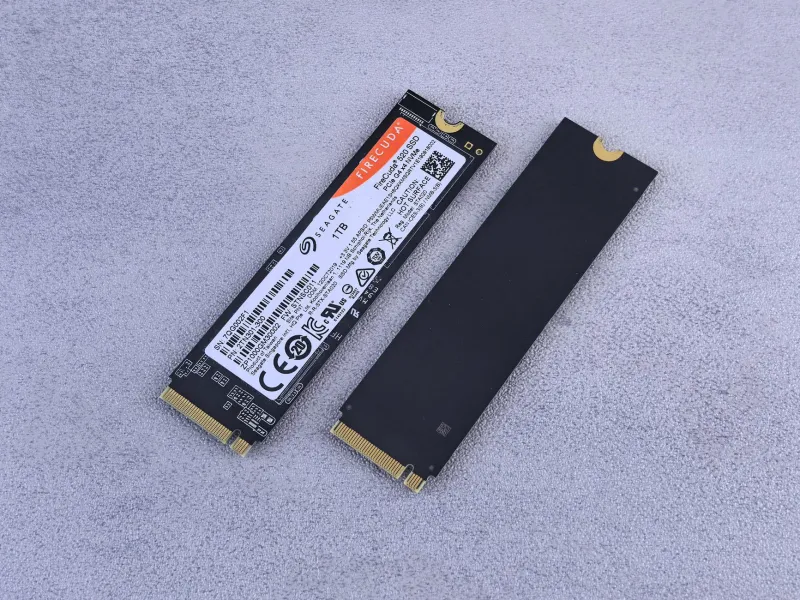
Walk into any PC component discussion online and you'll see it almost immediately — someone dropping $250 on a Gen 5 NVMe drive because the box says 14,000 MB/s sequential read speeds, and someone else insisting that anything above a budget Gen 3 drive is a waste of money for gaming. Both camps are loud. Both camps are partially wrong.
We wanted actual answers, so we tested 15 SSDs — ranging from a $50 SATA drive to a $280 Gen 5 flagship — across a standardized suite of gaming benchmarks. Load times, frame consistency, level streaming, and shader compilation were all on the table. Here's what we found.
The Drives We Tested
Our test pool covered the major tiers you'll actually encounter shopping for a gaming drive in 2025:
- Budget SATA (2 drives): $45–$65, targeting players upgrading from HDDs
- Mid-range Gen 3 NVMe (3 drives): $60–$90, the most common upgrade path
- Gen 4 NVMe — mainstream (4 drives): $80–$130, the current sweet spot for most builds
- Gen 4 NVMe — performance (3 drives): $140–$190, high-spec options with large caches
- Gen 5 NVMe (3 drives): $200–$280, the current speed kings
All testing was done on a standardized mid-range gaming rig running Windows 11 with a Ryzen 7 7700X, RTX 4070, and 32GB DDR5. We used the same game installs across all drives to eliminate variables.
Load Times: Where the Gap Is Real — and Where It Isn't
Let's start with the metric everyone cares about first: how long you're staring at a loading screen.
In our testing, the jump from a traditional HDD to any SSD — even a budget SATA drive — was dramatic and immediately noticeable. We're talking about shaving 40 to 60 seconds off load times in open-world titles like Cyberpunk 2077 and Hogwarts Legacy. If you're still on a spinning disk, literally any SSD will change your life.
But here's where it gets interesting. Going from a budget SATA SSD to a Gen 3 NVMe? The improvement averaged around 12–18% in our load time tests. Meaningful, but not dramatic. And moving from Gen 3 to Gen 4 mainstream? We saw roughly an 8–14% further reduction in load times, depending on the title.
The jump from Gen 4 to Gen 5? In traditional load screens, we measured an average of 3–7% improvement. That's it. On a game that loads in 8 seconds on a Gen 4 drive, you're saving less than a second by spending an extra $100.
The diminishing returns are steep, and they're real.
Where Fast Drives Actually Help: Open-World Streaming
Load screens aren't the whole story, though — and this is where high-speed drives do earn some of their reputation.
Open-world games that stream assets continuously — think Microsoft Flight Simulator, Star Citizen (when it cooperates), or Forza Horizon 5 — showed more meaningful differences between drive tiers. Faster drives reduced the frequency and duration of pop-in events and texture streaming hiccups, particularly in areas with dense asset loads.
In Forza Horizon 5, we observed noticeably smoother roadside detail loading when comparing SATA drives to Gen 4 NVMe — the kind of thing you'd actually see during gameplay rather than on a stopwatch. However, once we crossed into Gen 4 territory, the gains between mainstream Gen 4 and Gen 5 drives were again marginal in streaming scenarios.
For competitive multiplayer titles — Call of Duty: Warzone, Apex Legends, CS2 — drive speed had almost no measurable impact on gameplay experience beyond initial load. These games don't stream world geometry in real time the way open-world titles do, so once you're in a match, your SSD is mostly idle.
The DirectStorage Question
Microsoft's DirectStorage API was supposed to change everything, letting games load assets directly to your GPU without CPU bottlenecking and making ultra-fast drives essential. In 2025, the reality is more nuanced.
A handful of titles now support DirectStorage — Forspoken and Ratchet & Clank: Rift Apart being the most notable examples. In our testing with these games, we did see more pronounced differences between drive tiers than in standard titles. Gen 5 drives showed a legitimate edge in compressed asset loading versus Gen 3 options.
But here's the catch: DirectStorage-optimized games are still rare, and most of your library almost certainly doesn't use it. Banking on future-proofing with a Gen 5 drive today means paying a premium now for benefits that may not arrive in most of your games for another two or three years.
Frame Consistency: The Metric Marketers Ignore
Beyond load times, we looked at 1% low frametimes — the brief stutters that make gameplay feel choppy even when average FPS looks fine. This is where drive speed intersects with real gaming feel.
For most titles, drive speed had minimal direct impact on frame consistency once the game was fully loaded. Your GPU and CPU are the primary drivers of frametimes during gameplay. However, in games that do background asset streaming, we observed that slower SATA drives occasionally produced 1% low spikes during rapid scene transitions — particularly in Cyberpunk 2077 during fast travel and in densely populated areas of Starfield.
Gen 3 NVMe drives largely eliminated this issue. Gen 4 and Gen 5 drives performed similarly to each other in frame consistency tests across every title we tested.
The Verdict: Where Your Money Actually Goes
After 15 drives and dozens of hours of benchmarking, the picture is pretty clear.
If you're on an HDD: Stop reading this and buy literally any SSD. A $60 SATA drive will transform your experience.
If you're on a SATA SSD: A mainstream Gen 4 NVMe drive in the $80–$110 range is a worthwhile upgrade, especially for open-world gaming. The performance-per-dollar ratio is excellent right now.
If you're already on Gen 3 NVMe: Upgrading to Gen 4 is a nice-to-have, not a must-have. You'll see modest improvements in a few specific scenarios. Wait for a sale.
Gen 5 drives: Unless you're doing professional content creation alongside gaming, or you're specifically targeting DirectStorage titles, the $200+ price tag isn't justified by gaming performance alone in 2025. The sequential speed numbers are genuinely impressive — they just don't translate to proportional real-world gaming gains yet.
The honest answer most drive manufacturers don't want you to hear: a good $100 Gen 4 NVMe delivers about 90% of the gaming experience of a $280 Gen 5 flagship. Shop accordingly.